
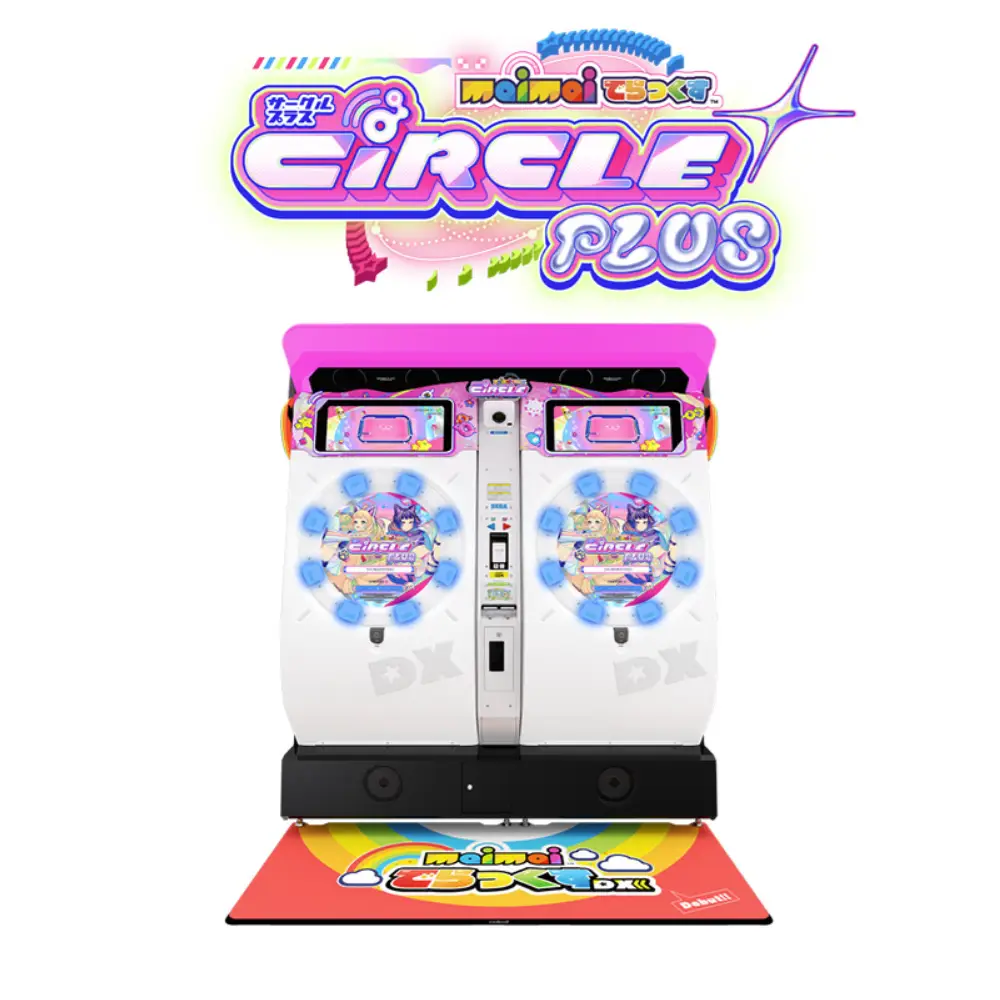
More Technical Insights into the Maimai DX Cabinet – V2
Previous Article
Changes in Newer Batch Cabinets
If you look closely, you’ll notice some hardware changes in newer batches. These include the removal of the player camera (which was useless for the Chinese server anyway), and an upgrade of the base board from HX2 to HX2.1.
Removing the player camera is actually a good thing – the USB hub power supply issue that caused a chance of 3100 errors on boot becomes less likely. Instead of leaving it there as a useless decoration, it’s better to just remove it. The downside is that the Chinese server will most likely never enable this feature again – and you also lose a spot to put stuff on :)
The upgrade from ALLS HX2 to HX2.1 should bring some performance improvements, though exactly how much is unclear. It could also just be supply chain management at work :)
Here’s the comparison between HX2 and HX2.1:
| Component | HX2 | HX2.1 |
|---|---|---|
| Motherboard | Gigabyte MCH31AM-S2 H310 | Gigabyte MCH31AM-S2 H310 |
| CPU | Intel Core i3-8100 | Intel Core i3-8100 |
| RAM | 2x4GB | 2x4GB |
| GPU | NVIDIA GeForce GTX1050 Ti | NVIDIA GeForce GTX1650 Ti |
| SSD | TDK GBDisk GS1 120GB | TDK GBDisk GS1 120GB |
| HDD | WD5000LUCT 500GB | WD5000LUCT 500GB |
As you can see, apart from the GPU, there’s not much change – mainly because the GTX 1050 Ti was discontinued.
I only know for sure that the Chinese server cabinets got this upgrade. Not sure if the Japanese or international versions have been updated – I haven’t found any info on that.
There’s a cabinet near me that’s already been upgraded to HX2.1, but honestly, I didn’t notice any significant difference in my personal experience. Maybe the HX2 just wasn’t cutting it anymore and that’s why they upgraded 🙂
Buttons, Screen, and Touch Panel
1. Screen
In my previous article, I mentioned why Japanese cabinets don’t need as much force to make the screen flash white. But after some testing and playing on mysterious machines at mysterious locations, I’ve realised there might be more factors at play.
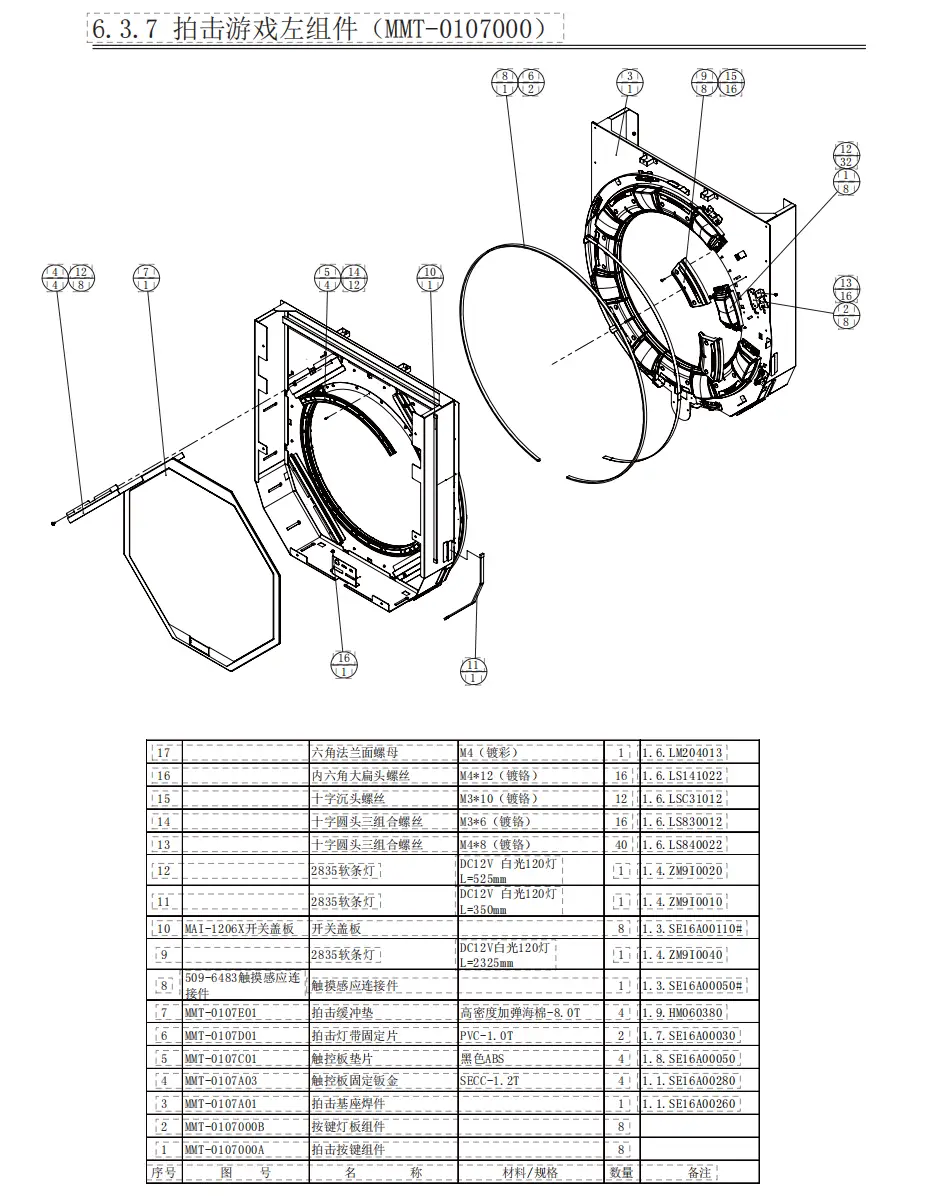
Both international and Japanese cabinets give me a feeling that they’re not as solidly built as the Chinese ones – they feel softer. And when I actually looked at them, the gap between the touch panel and the screen is actually pretty similar to the Chinese cabinets. Besides, the touch panel is still a piece of glass – no matter how much it deforms, it’s unlikely to hit the screen directly. So my suspicion is that the metal frame holding the touch panel might have different thickness or build quality compared to the Chinese version. After all, the Chinese cabinets are built locally based on specs from Japan – and hey, “Made in China” quality is something else 🙂
Apart from the metal frame, it could also be the wooden board that holds the frame and screen together – the materials might differ. International and Japanese cabinets also use different screens from the Chinese ones, so screen quality could be a factor too. When you hit the buttons or the screen, the force transmits through the metal frame to the wooden backboard. If that board flexes more, the screen might shift back and forth. And since the screen isn’t directly bolted to the backplate – just held by a few screws and brackets – if the screen is more prone to deformation, the LCD panel could shift and hit the backlight, causing that white flash. The Chinese cabinets might use sturdier wood and screens, so the same force doesn’t cause the flash. Again – Made in China 🙂
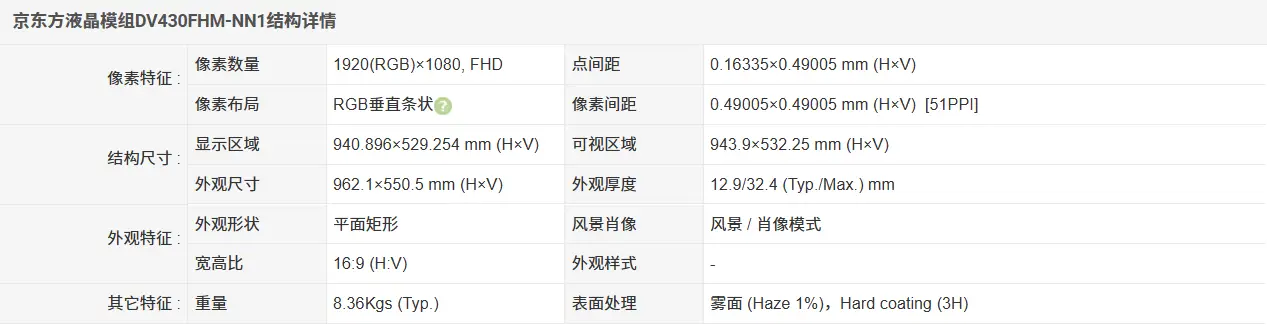
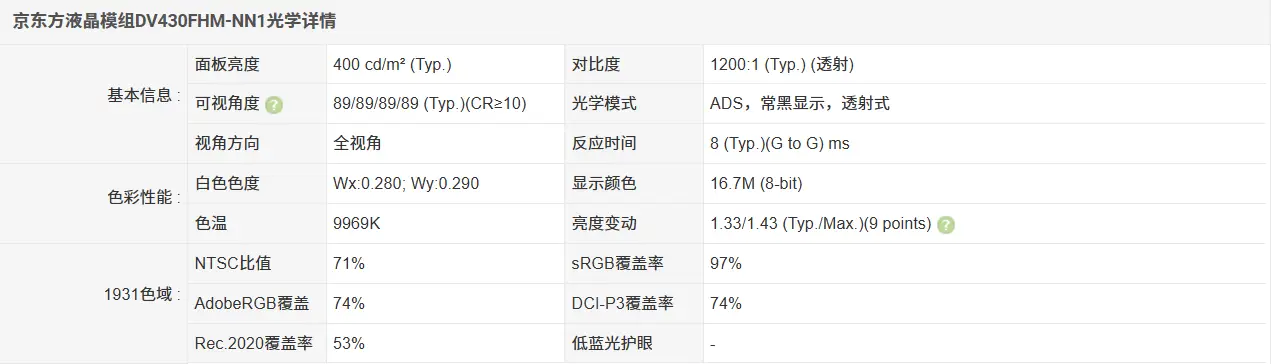
Newer cabinets use BOE screens, model DV430FHM-NN1, with a resolution of 1920x1080, 16:9 aspect ratio, and 60Hz refresh rate.
2. Buttons and Touch Panel
2.1 Buttons
Honestly, I personally prefer the feel of the original Japanese buttons over the Chinese ones. I like the softer feel of the Japanese buttons, and the click sound is crisp and satisfying – the Chinese buttons sound dull and feel less responsive.
Once you’ve tried the Japanese buttons, it’s hard to go back – the sound is just so pleasant. But there are ways to optimise Chinese buttons to get closer to that Japanese feel.
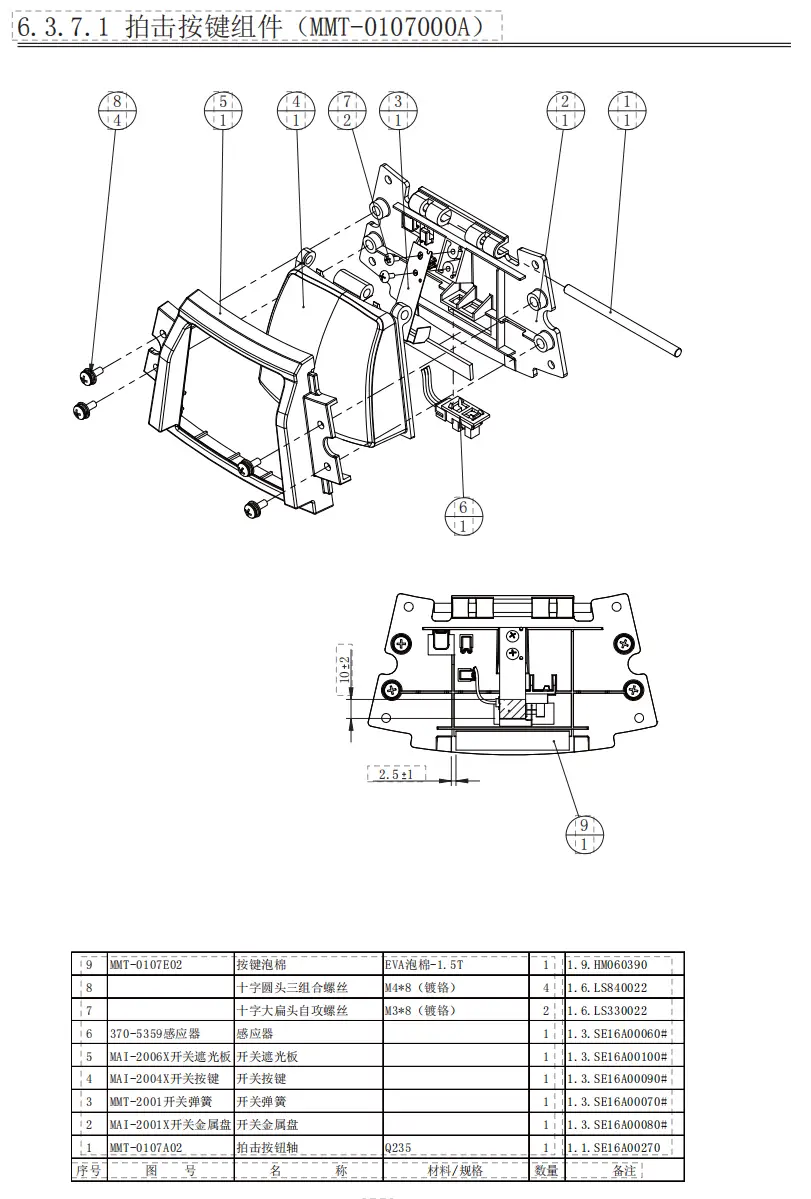
For the feel: The most direct method is to replace the spring leaves. Just search for the Japanese copper spring leaves – you can find them on various channels, or if you have the means, buy directly from SEGA in Japan. They’re also available on second‑hand markets or Taobao.
For the sound: The dull sound of Chinese buttons is mainly due to the EVA foam padding used as a dampener – it absorbs a lot of the impact and compresses significantly, creating a sticky, mushy feel. My solution for my own controller and my friends’ cabs is to buy official Wahlap buttons, remove the EVA foam pad, and replace it with a rubber pad (10mm wide, 1mm thick). This swaps out the EVA foam for rubber. However, rubber does get slightly sticky on the surface – especially in hot weather when it feels like it’s “sweating” – so I recommend covering the rubber surface with a layer of tape, like PET tape.
Of course, an even more direct solution is to just buy SEGA buttons outright. You can get them through various mysterious channels or directly from SEGA Japan (though they’re pretty hard to get in mainland China).
(Wahlap official parts are pricey – spring leaves are 30 CNY each, optical sensors are 30 CNY each, button casings are 80 CNY each, decorative rings are 80 CNY each, and the mounting frame and base plate are also 80 CNY each. The touch sensor glass panel? A whopping 7,500 CNY.)
2.2 Touch Panel
A very common issue on older cabinets is the touch panel’s metal frame rusting. After just one play session, white gloves turn yellow. Rather than spending a fortune on a replacement metal frame, a more common fix is to apply anti‑rust tape along the edges of the frame.
Here’s a solution shared by 菜子头Nanoko – check it out.
The solution I use is a bit more hardcore. A while back, I was asked by an arcade in a certain region to service their Maimai and Chunithm machines, and I used this approach: use an angle grinder to remove the rust, then repaint with anti‑rust metal paint. The overall result was pretty good – though unfortunately, I didn’t take any photos at the time so I can’t show you. One important note: there are ABS plastic spacers on the inside that isolate the metal frame from the touch glass. Don’t over‑grind those areas, or the spacers won’t sit flush and the glass won’t be properly secured.