
Using UnityExplorer to Retrieve Three Encrypted Values from a Certain 8‑Button Rhythm Game's Chinese Server

WARNING!!!
This article does not include any software programs. It is for reference and educational purposes only. Do not use for illegal activities!
Due to its nature, this content may carry copyright/DMCA risks. If you believe this infringes upon the copyright of any software, please contact me and I will remove it.
Main Content
1. Download and Install UnityExplorer
https://github.com/sinai-dev/UnityExplorer/releases
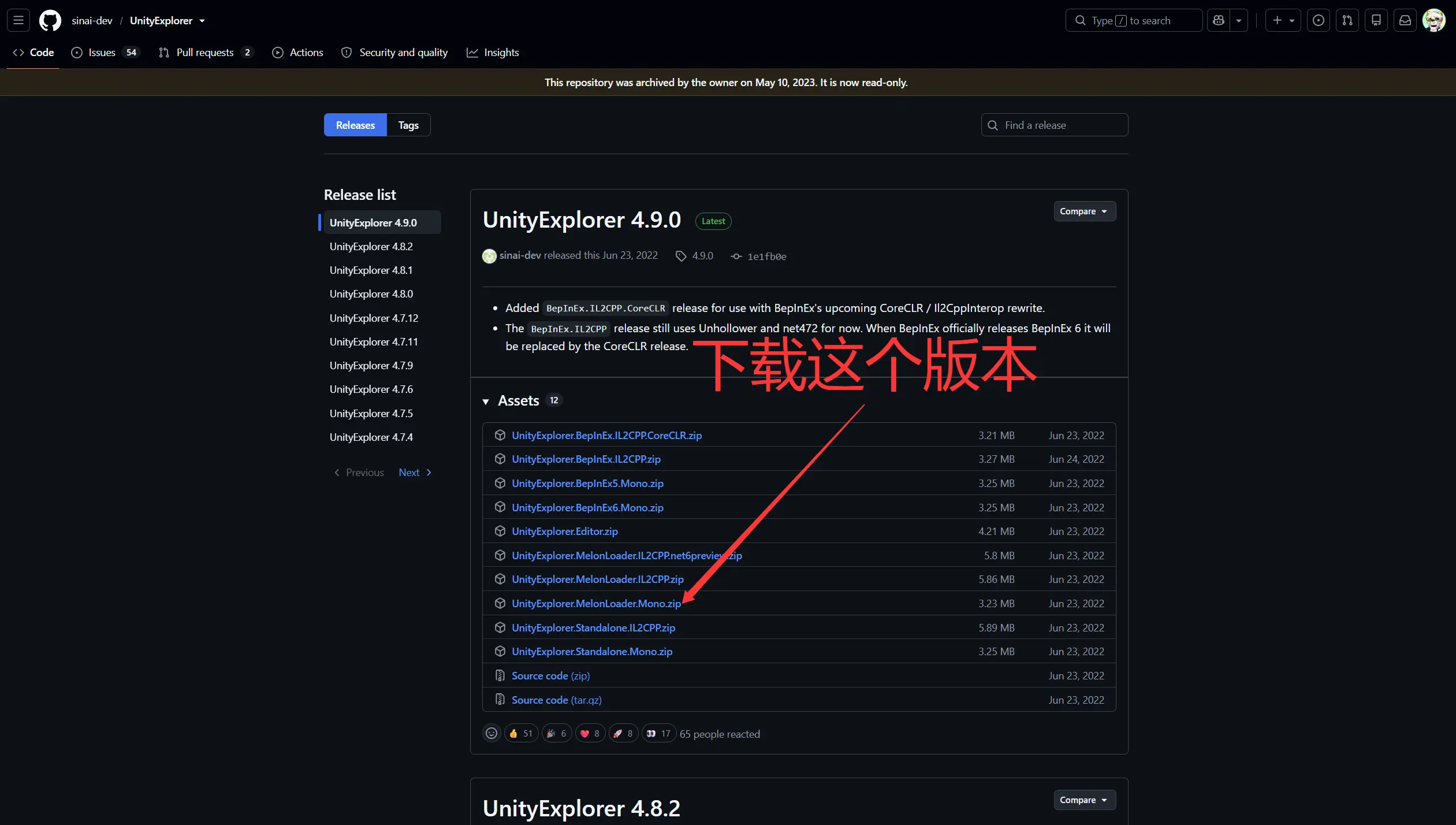
We need the UnityExplorer.MelonLoader.Mono.zip version.
After downloading, you’ll get a zip file. Extract it and you’ll see two folders: Mods and UserLibs. Copy these into the game’s installation directory.
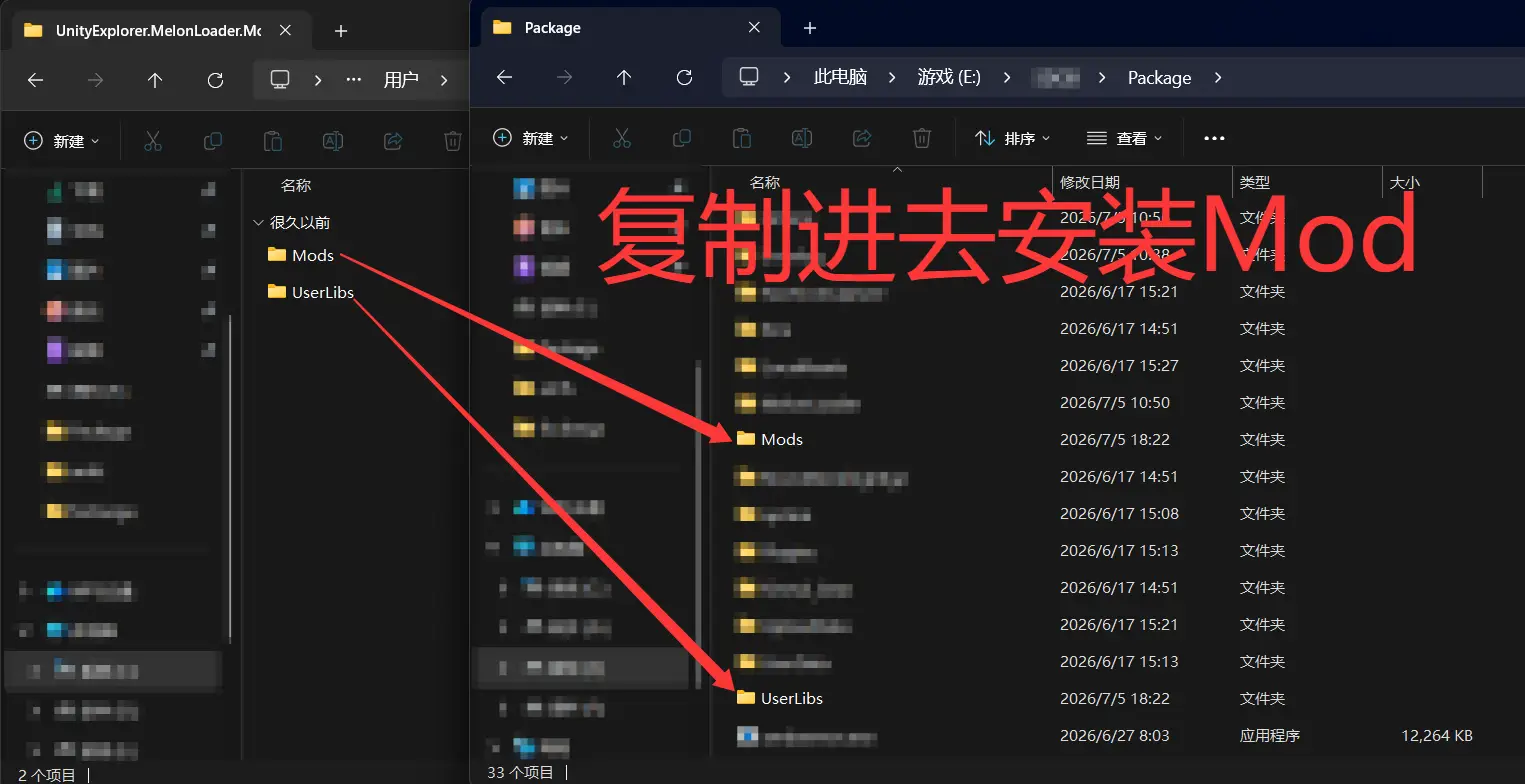
Once copied, launch the game.
2. Retrieve AesKey, AesIV, and ObfuscateParam
After launching the game, press F7 in‑game to open UnityExplorer. Click the leftmost tab in the top menu – Object Explorer.
Select Object Search, then under Searching for, choose Class.
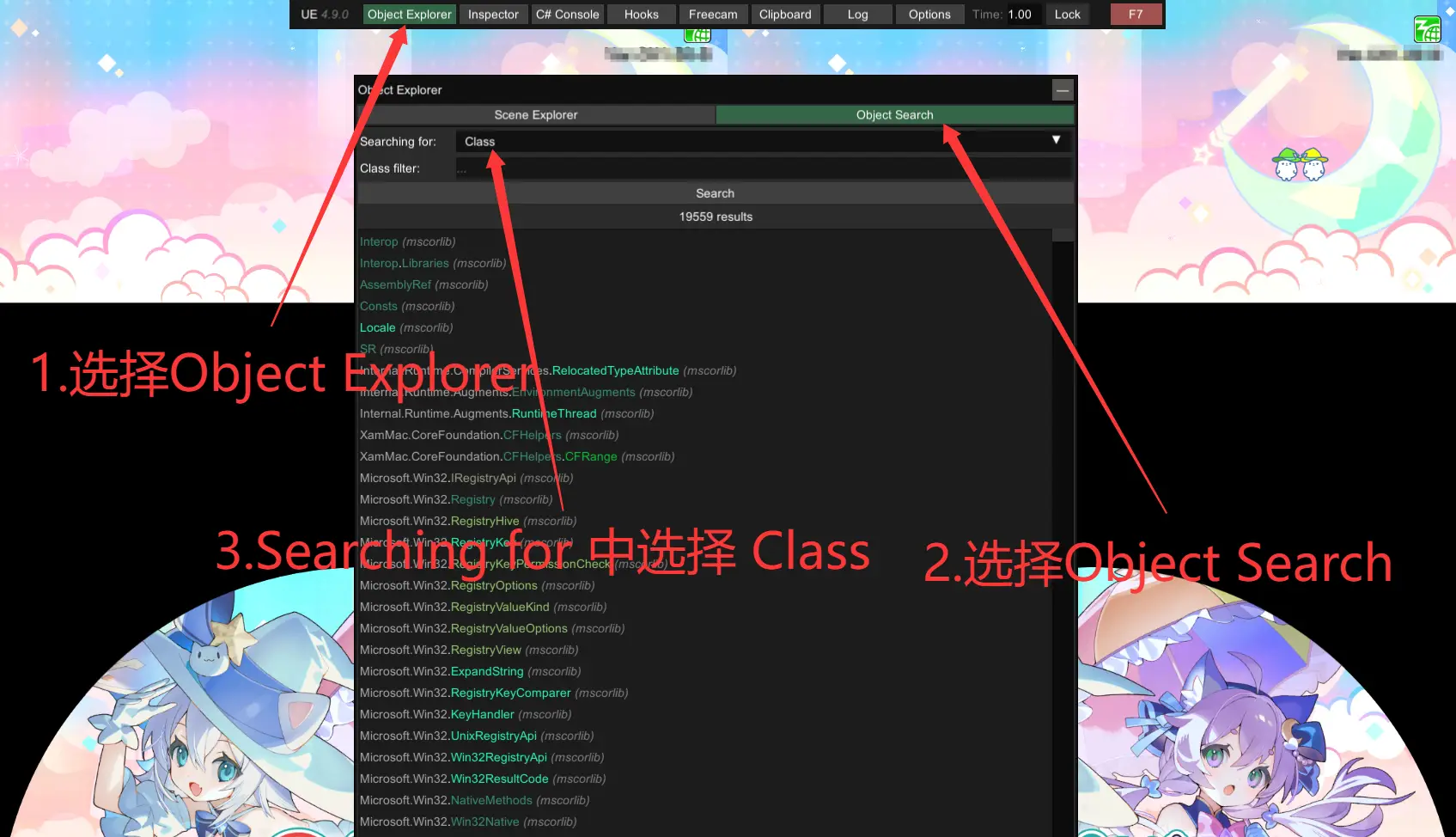
Next, enter Net.CipherAES in the Class filter field, then click the Search button.
In the search results, click on Net.CipherAES. In the Inspector window that appears, look for CipherAES.AesKey and CipherAES.AesIV – these are the AesKey and AesIV values we need.
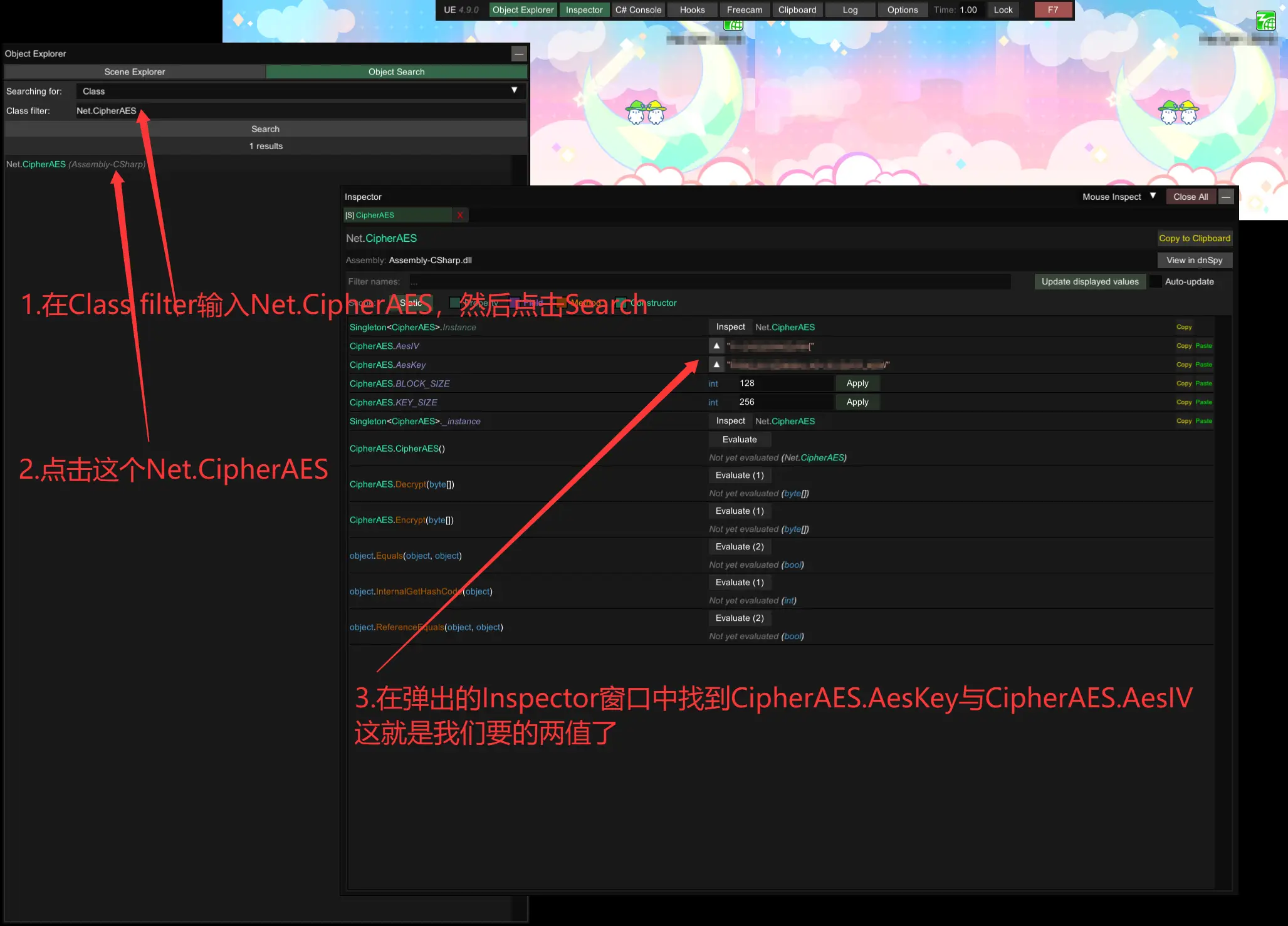
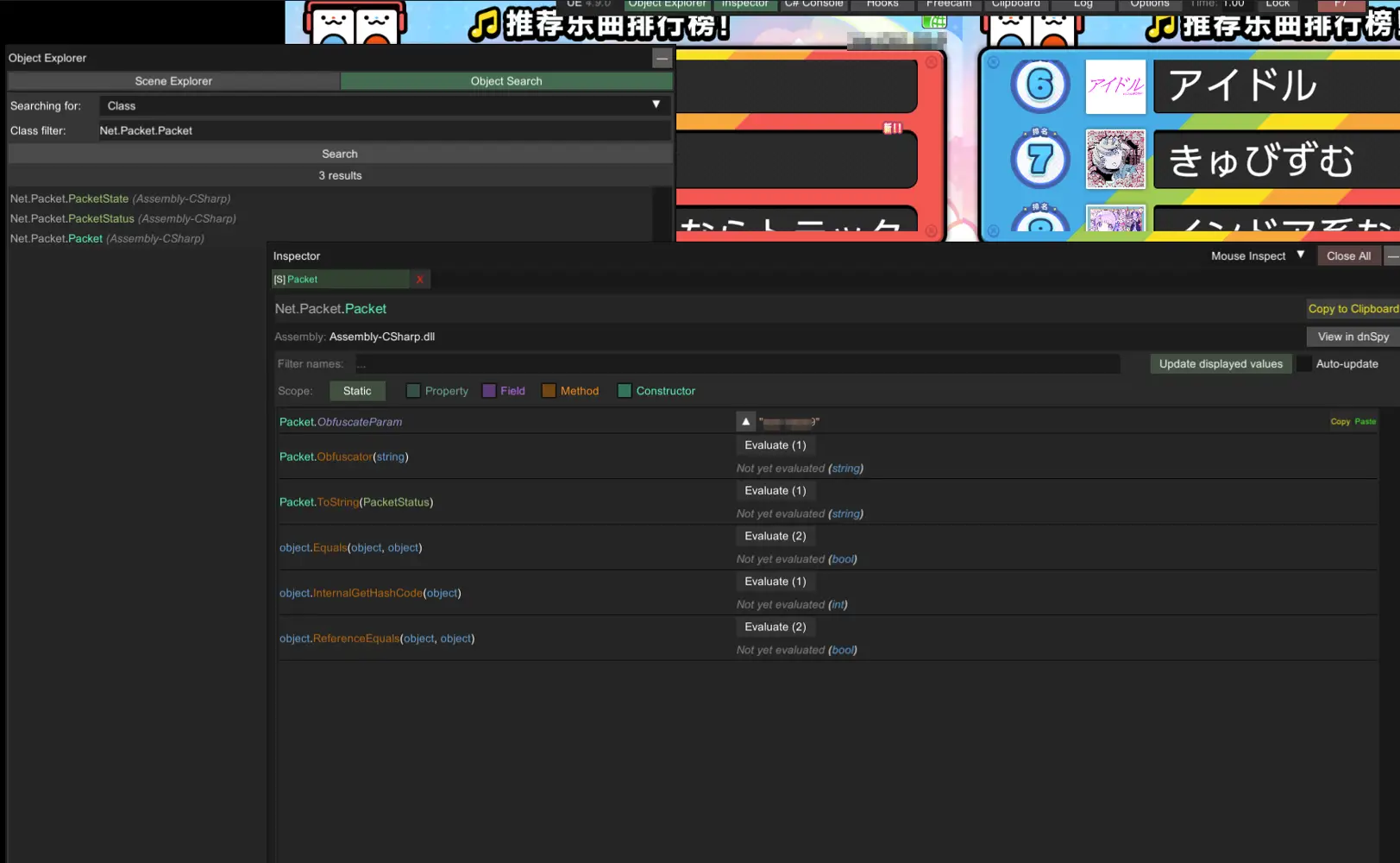
The same process applies to ObfuscateParam. Simply change the Class filter to Net.Packet.Packet and click Search.
In the Inspector window, Packet.ObfuscateParam is the value we’re after.